
Catchall Management
Catchall and Spam Management with Mizo
The catchall-spam feature is designed to automatically handle all tickets generated from generic addresses, system notifications, or ambiguous situations.
Catchall Objectives
- Automatically identify tickets created from generic or unknown sources.
- Create new contacts when necessary.
- Correctly reassign tickets to avoid duplicates or mistakes.
- Filter out unwanted tickets (spam, vendor notifications).
How to Configure Catchall in Mizo
Configuring the catchall in Mizo is effortless, no complex rules needed. Once enabled in the Mizo Dashboard (Link), Mizo automatically handles tickets from generic addresses, unknown sources, or system notifications. It identifies contacts, creates new ones when needed, and assigns tickets correctly.
Here’s what you can configure:
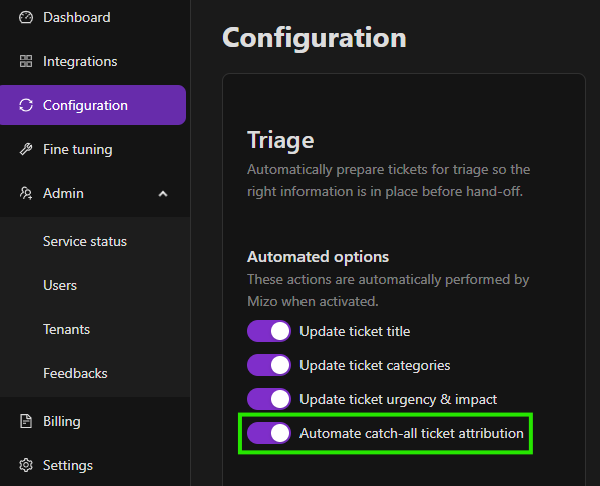
- Enable Catchall in the Mizo Dashboard:
Turn on catchall to let Mizo automatically manage ambiguous or unassigned tickets.
2 - For HALOPSA: Setup requires section 5 in https://mizo.tech/helpcenter/en/guide-halopsa/
2- For CONNECTWISE Manage: Setup requires in Step 2 - Permissions Matrix (Finances Agreements (Inquire ALL) https://mizo.tech/helpcenter/en/guide-connectwise-manage/
Workflows Managed by Mizo
1 - New Employee
Scenario: The ticket is created for an existing employee, but no contact exists in the PSA.
Mizo Action:
- Assigns a generic contact for the client (e.g., [email protected])
- Coming soon : Creates a new contact from the signature (first name, last name, title, phone, email)
- Automatically reassigns the ticket
2 - Contact Present in Multiple Companies
Scenario: The contact’s email exists in two different companies.
Mizo Action: Searches for the company with an active contract in the PSA, then assigns the ticket to the correct contact.
3 - Ticket Created from an Online Form
Scenario: The ticket comes from an HTML form (email, name, company).
Mizo Action: Searches for the corresponding contact in the PSA and assigns the ticket correctly.
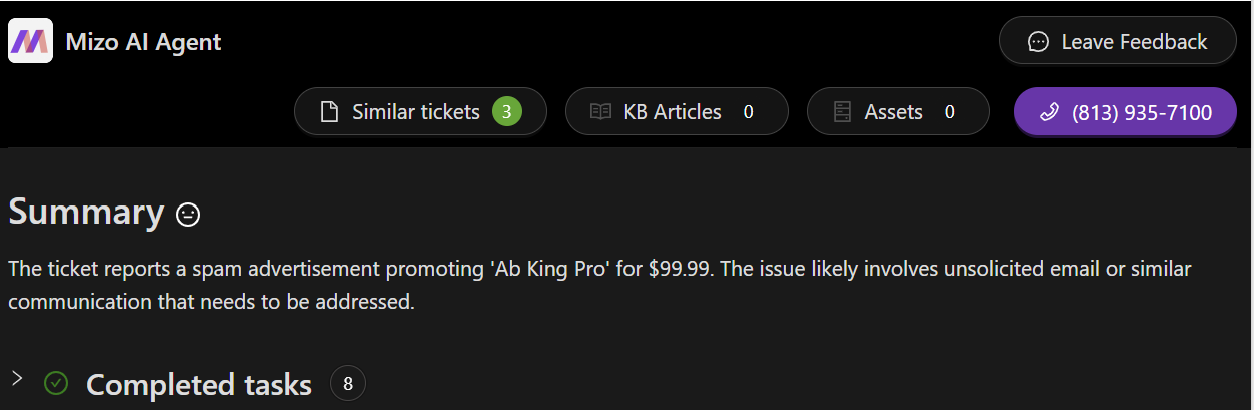
4 - Ticket Identified as Spam or Vendor Notification
Scenario: The ticket comes from an unwanted source (e.g., vendor@ address or automated notifications).
Mizo Action: Automatically closes the ticket to prevent unnecessary action.
Benefits of Mizo Catchall
- Prevents “orphan” tickets that are not assigned to a specific contact.
- Ensures tickets are assigned to the correct client or contact.
- Reduces human errors in ticket management.