
Update Ticket Title
When emails are converted into tickets, the subject line is often unclear, too long, or not meaningful for support teams (e.g. “Re: FW: URGENT”).
With Update Ticket Title, Mizo automatically rewrites ticket titles to make them clear, structured, and actionable.
What it does
- Analyzes the email content and context
- Generates a concise and relevant ticket title
- Removes unnecessary prefixes (FW, RE), long threads, and email noise
Why it matters
- Tickets are easier to understand at a glance
- Faster triage and assignment
- Better visibility in dashboards and reports
- Improved communication between support agents and clients
Typical examples
- Before: “RE: FW: Issue”
- After: “Outlook not syncing on user workstation”
How to Activate & Fine-Tune Ticket Title Updates
Activation
- Go to the Configuration section in the Mizo console
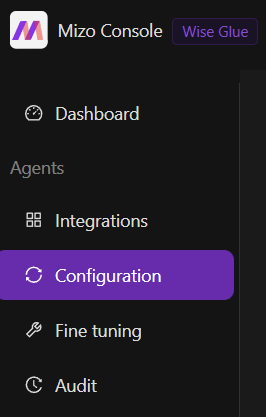
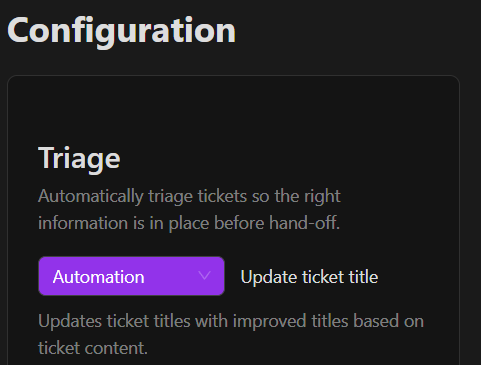
Enable Update Ticket Title and choose how it should behave:
- Automation: Mizo automatically updates the ticket title for every analyzed ticket
- Recommendation: Mizo suggests a new title, and your team validates it before applying
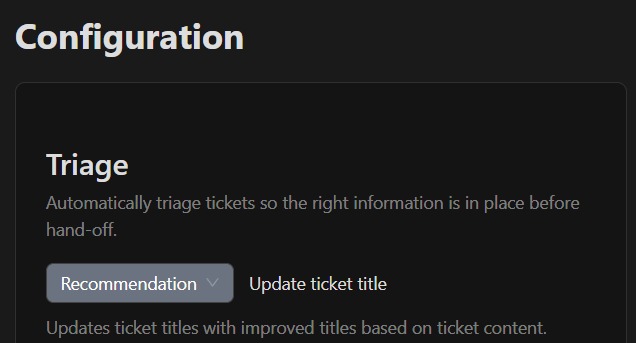
It will be saved automatically.
Once activated, Mizo will generate clear and relevant ticket titles for all new tickets.
Fine-Tuning the Feature
This feature can be fine-tuned over time to better match your support workflow and internal standards.
You can:
- Align titles with your internal naming conventions (e.g. End User Name- Summary ).
- Choose whether some tickets should not be renamed
To do this, go to the Fine-Tuning tab within Mizo Console . Here are some good practices: